Saving a Document to Your Computer
Save as .txt
You can save your notes to your local device, which is always a good idea for keeping a backup of important text. To do this, click File in the menu bar and select Save As.
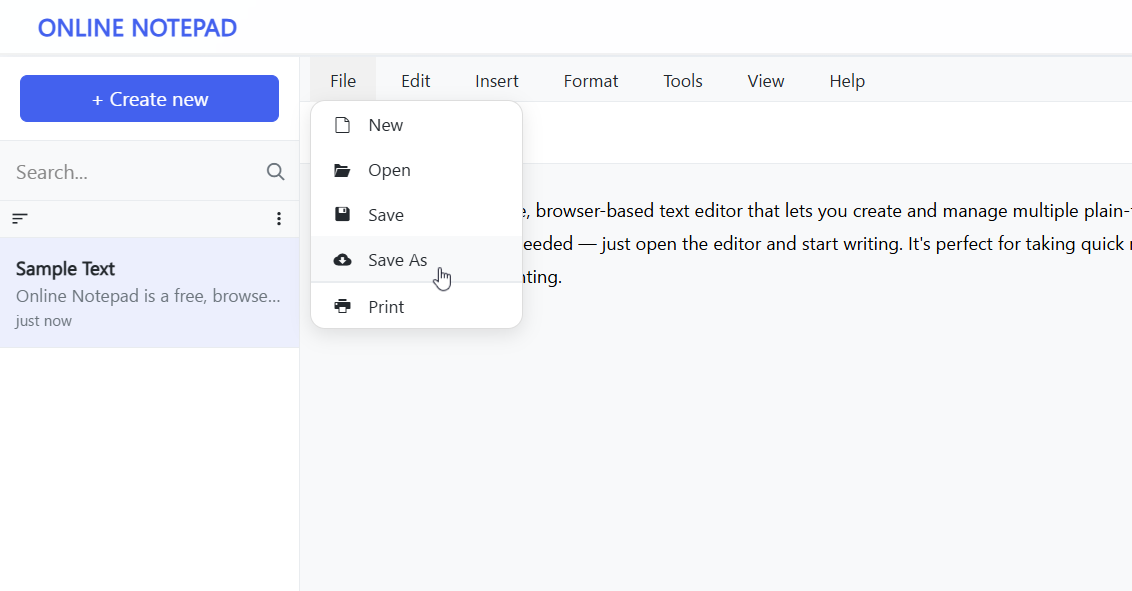
Tip: You can also pressCtrl + Shift + S(Windows) orCommand + Shift + S(Mac) to open the Save As dialog quickly.
Advertisement Placeholder
This will open a dialog prompting you to type in a filename.
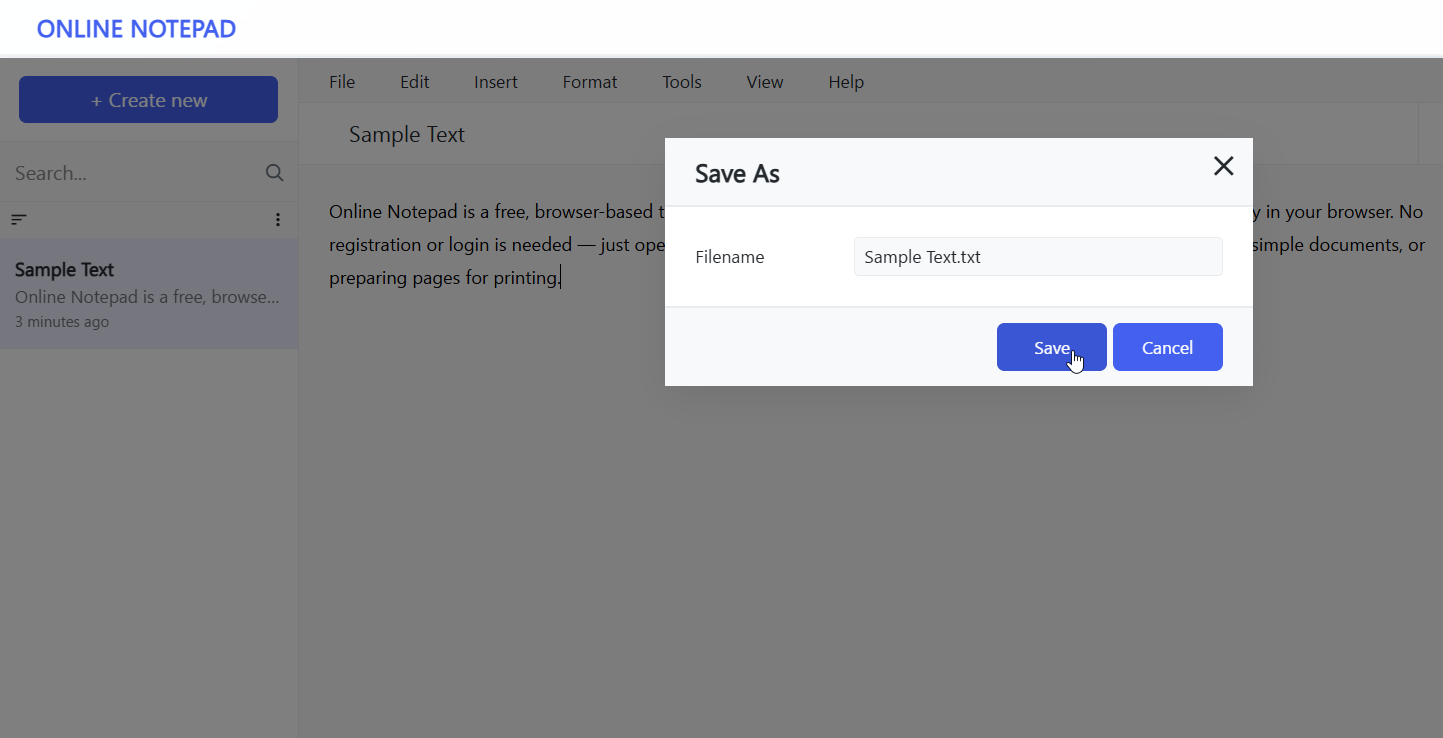
By default, the editor uses the document’s title as the filename. If no title is set, it will default to Untitled Note. You can also change the file extension; .txt is chosen automatically since it is the standard format for plain text files.
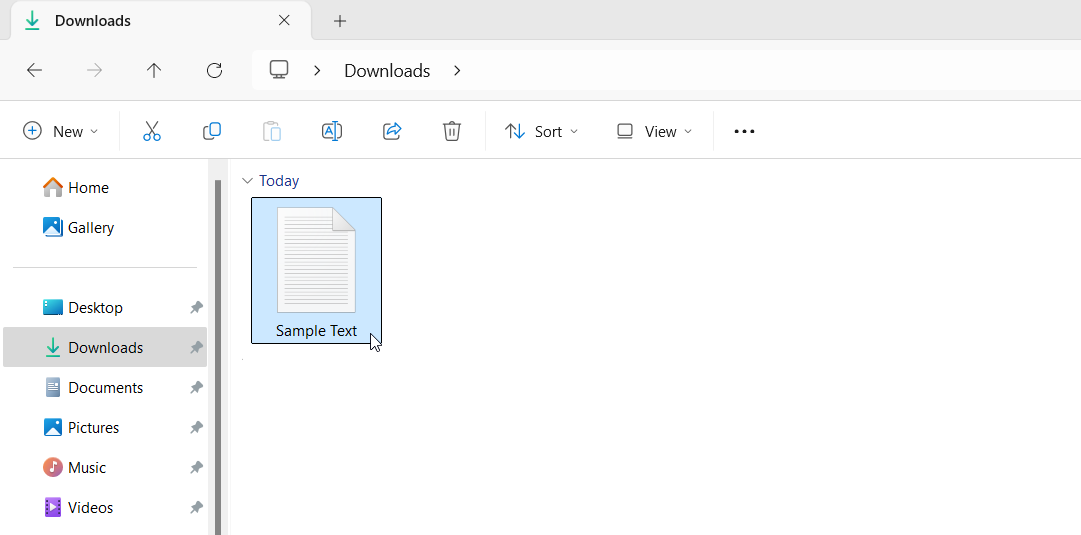
After clicking Save, the file will download automatically to your computer. You can find it in your Downloads folder.
Tutorials
Here are some additional guides to help you get started with Online Notepad:
- Saving a Document to Your Computer
- Opening a Document in Online Notepad
- How to Clear Browser Cookies
Advertisement Placeholder