Opening a Document in Online Notepad
Load .txt Files
One of the most convenient features of Online Notepad is the ability to open text files directly from your computer. There’s no need to copy and paste. Since the app supports plain-text editing, it accepts only files with the .txt extension. To open a file, click File in the menu bar and select Open.
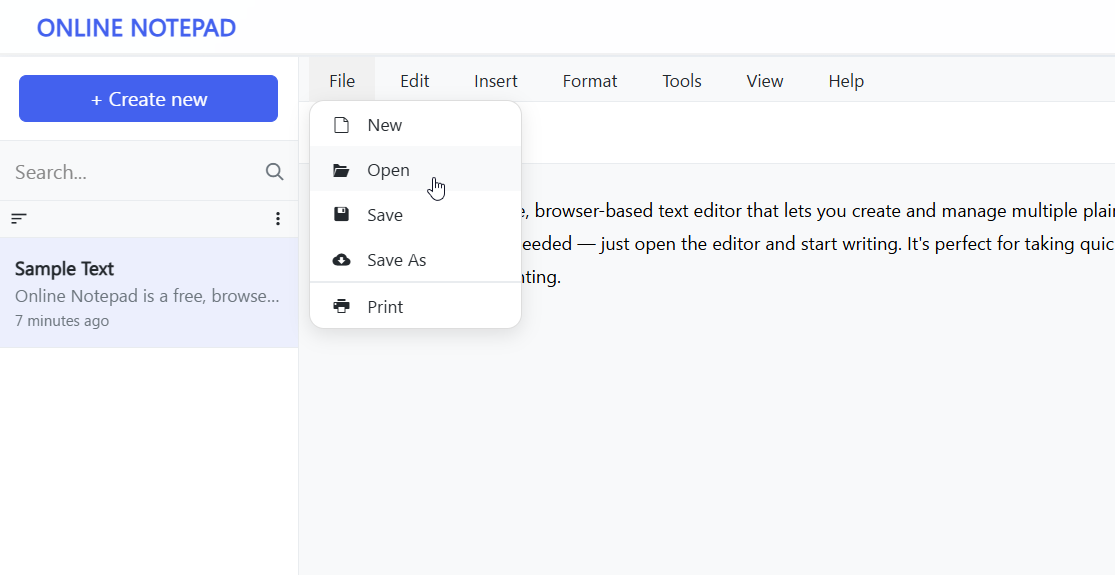
Tip: You can also pressCtrl + O(Windows) orCommand + O(Mac) to open the file dialog quickly.
Advertisement Placeholder
The Open File dialog will appear. Select the text document you want to edit.
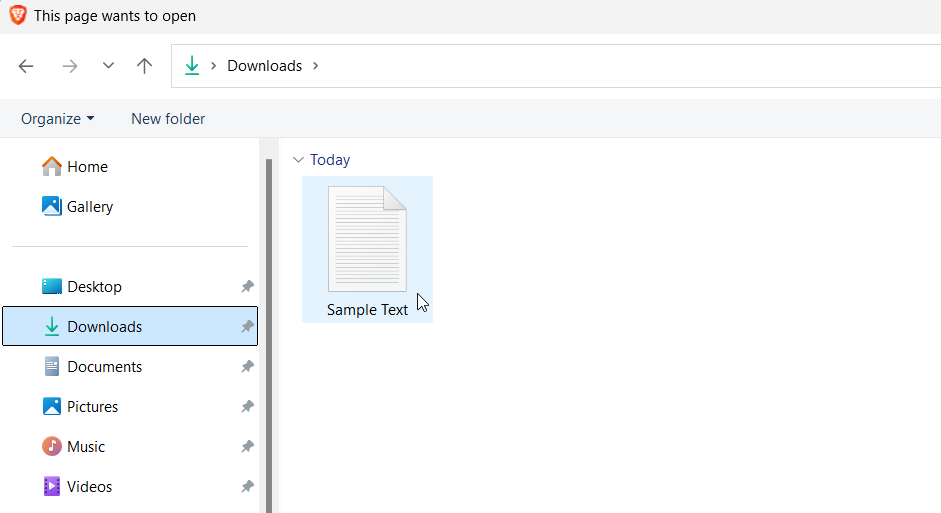
After clicking the Open button, your file’s content will be loaded directly into the Online Notepad editor for editing.
Tutorials
Here are other helpful guides to get started:
- Saving a Document to Your Computer
- Opening a Document in Online Notepad
- How to Clear Browser Cookies
Advertisement Placeholder